New files can be sorted as soon as they appear in Downloads.
WINDOWS FILE MANAGEMENT
Your Downloads folder, organized automatically.
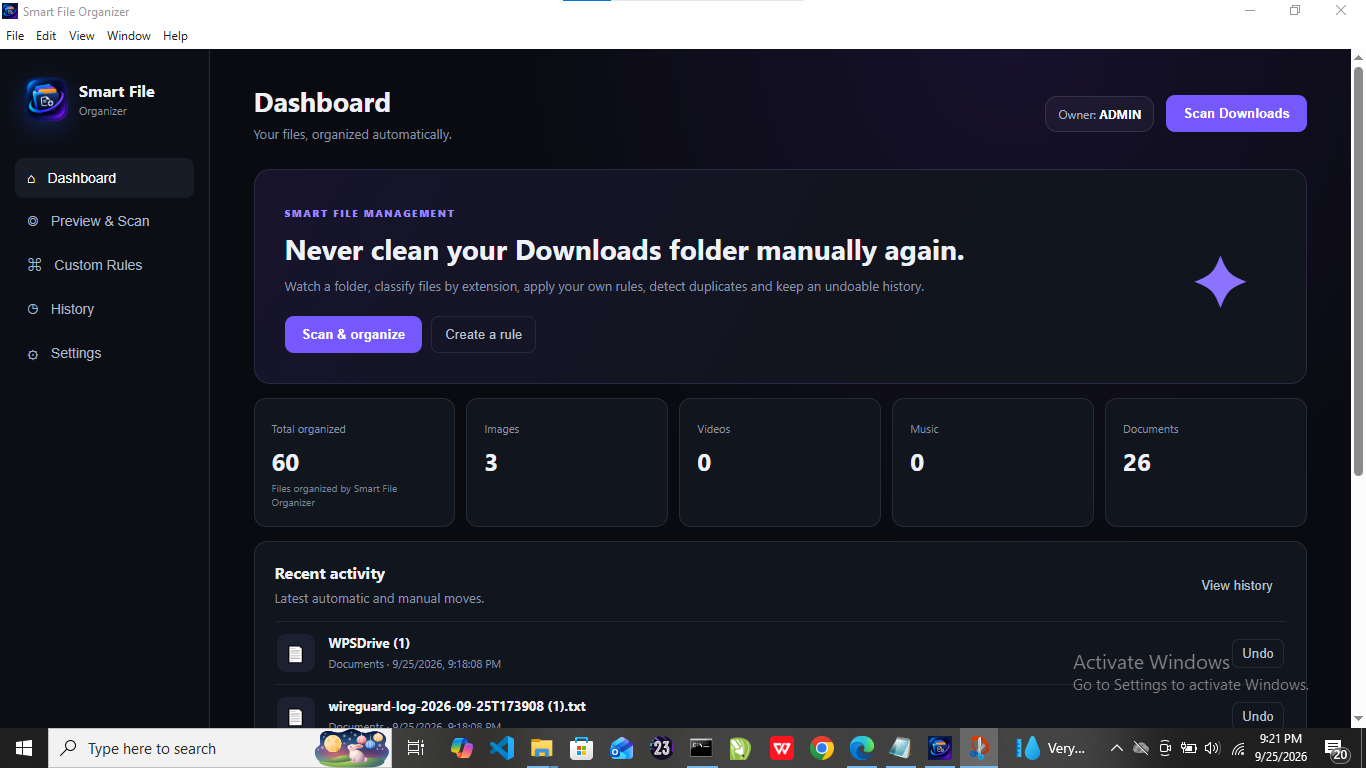
Smart File Organizer watches your Downloads folder and sorts files into clean categories while keeping your desktop workflow simple.
Download for Windows ↓Version 2.1.0 · Windows 10/11
✓ Automatic organization✓ Duplicate detection✓ Background monitoring
Smart File OrganizerClean files. Less work.
ImagesJPG · PNG · GIF · WEBP
MusicMP3 · WAV · FLAC · AAC
DocumentsPDF · Word · Excel · PowerPoint
ArchivesZIP · RAR · 7Z · TAR
FEATURES
Everything you need to keep files under control.
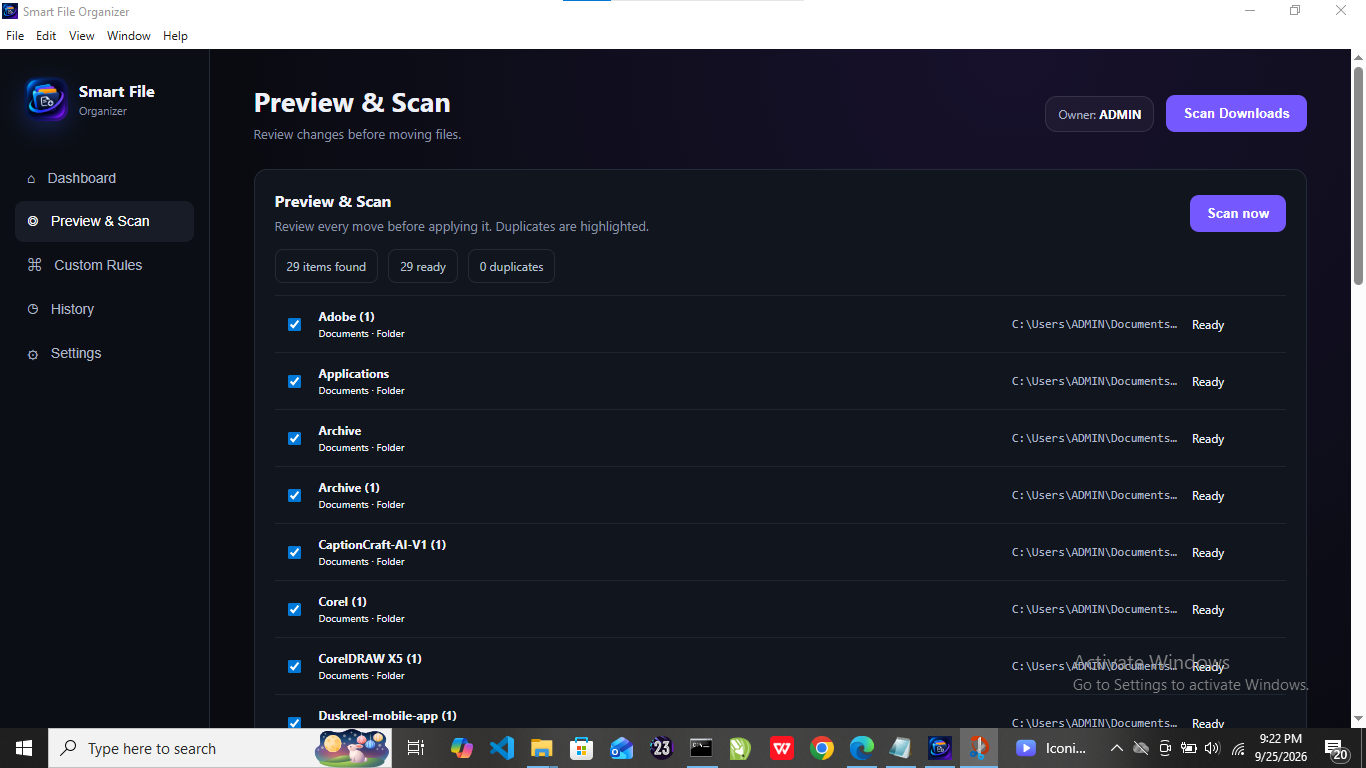
Preview what will be moved before applying changes, with live scan progress and cancellation.
Identify duplicate files with file-content hashing and remove selected duplicates.
Track how many files have been organized and review recent activity.
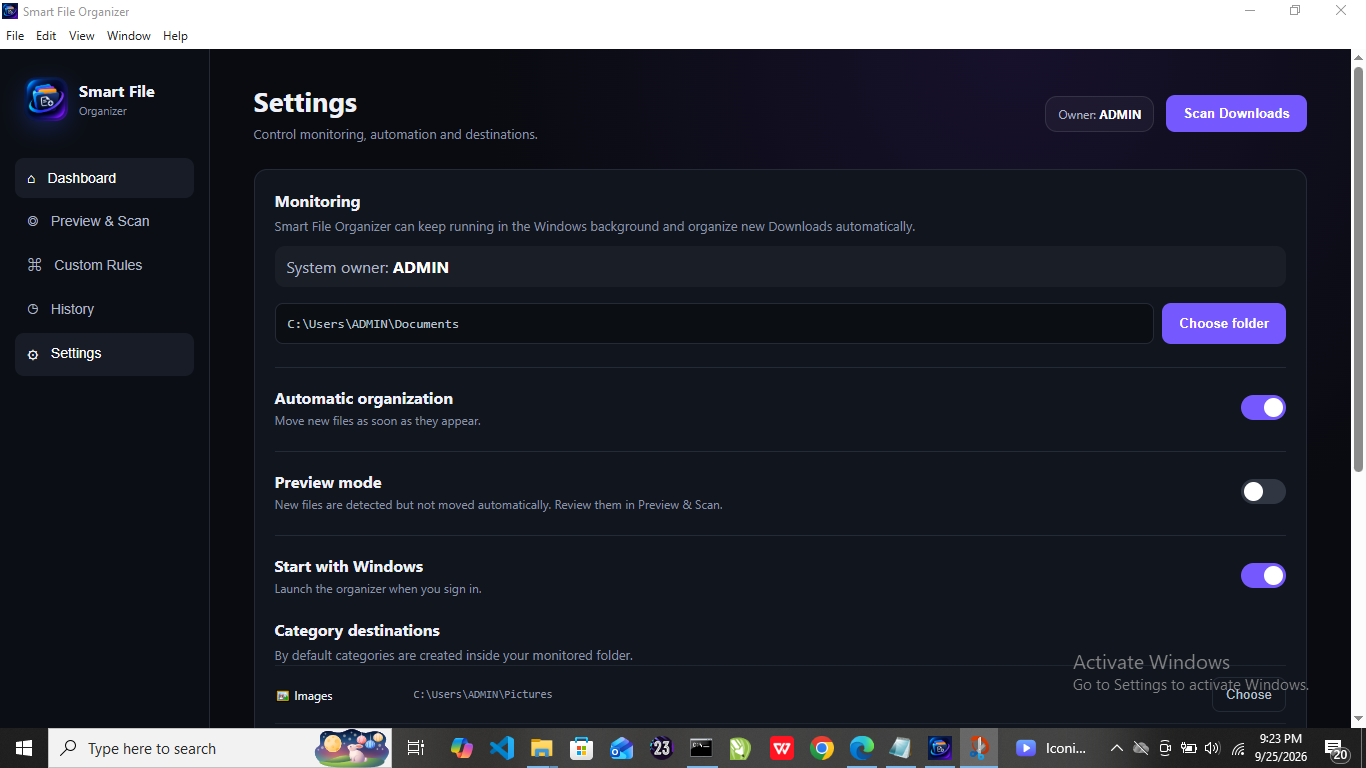
Run in the Windows background and keep monitoring your Downloads folder.
The app displays the current Windows system owner account.
APP PREVIEW
See it in action.
READY TO ORGANIZE?
Download .exeDownload Smart File Organizer.
Install version 2.1.0 on Windows 10 or Windows 11.